Eurostar

Rolling out a new redesigned site for one of Europe’s  largest rail carriers

Multiple mobile phones displaying Eurostar travel app features including booking, travel styles, and European city destinations with images of Paris, Amsterdam, and London landmarks.

Introduction

In 2022, International high speed rail operator Eurostar was merging with another carrier at the same time as a major rebrand.

Over 8 months, I worked on UX, UI, IA, Interaction and Visual Design briefs, across the ticket booking system, navigation and rebranded page templates.

Result:

  • 11% increase in ticket booking conversions.
  • 15% increase in hotel booking conversions.
  • Much improved site navigation and search experience.
  • A fresh new look across key pages, in line with the new brand.

Team

Role:
UX, Usability testing, UI, Visual design

Team:
4 Designers

Time:
12 months

About Eurostar

11m

passengers transported annually

2,500

employees

3,300

Rail track, linking European capitals

Challenge I

Book and Pay

The challenge

Eurostar were merging with new partner and needed to design the ticket booking experience to align with both companies.

This redesign was an opportunity to address existing issues such as train schedule info, fare types, seat selection and checkout, as well new business demands such as multi buy tickets and additional extras.

Collage of train booking interface screenshots showing trip search, fare options, order review, and passenger details from Thalys and Eurostar services.

Customer research

Twelve Eurostar customers were interviewed. Common complaints were difficulties when searching for trains, booking tickets, adding extra services to their reservations and managing bookings post-purchase.

These mixed experiences underscored the need to streamline the online platform for easier navigation, efficient booking, and improved post-booking support to better serve customers.

Document titled 'Customer insights' with interview outline questions on the left and detailed notes from six customers on the right about their experience with Railco's luggage allowance and booking interface.
Seven sticky notes listing pain points: understanding fare classes, changing ticket orders mid-flow, accessing cart on mobile, inability to book multiple journeys, confusion over selection success, confusion over current flow position, and choosing seats.

Customer Journey Mapping

Two personas were created to empathise with a broader range of customers' needs and perspectives, helping us understand behaviours, motivations, pain points, and aspirations.

With these personas as a guide, Customer Journey Maps were developed, detailing the experience of researching travel options, choosing tickets, paying, receiving information and managing the booking.

Profile of Markus Müller, a middle-aged German sales director with high income, highlighting his travel needs, considerations, and goals emphasizing punctuality, flexibility, and productivity.
Black and white portrait of a woman smiling while talking on a phone, next to a user persona profile for Anna North outlining her age, gender, nationality, occupation, income, needs, considerations, and goals.
User journey map detailing stages from awareness to post booking with tasks, descriptions, emotion map using emojis, and opportunities for a business customer booking Eurostar train travel.

Sketching and User Flows

With a better focus on the problems that needed solving, I turned to sketching as a fast and easy method of thrashing out options for UI, as well as mapping out alternatives for the user flow and other ideas.

User flows were created to get a clear understanding of the steps involved in choosing tickets, choosing extras and then paying. Different flows were needed to understand the differences in booking trains, hotels or a combination.

Hand-drawn wireframe sketches of a booking interface showing dates, prices, fare options, and booking summaries with selections and buy buttons.
User flow diagram for train booking showing steps from booking magnet to checkout with branching for train search results, travel extras, hotel search, login, and checkout.

Early UI Design

Much early development work went into exploring different possibilities for the UI, in particular for search result rows and fare types.
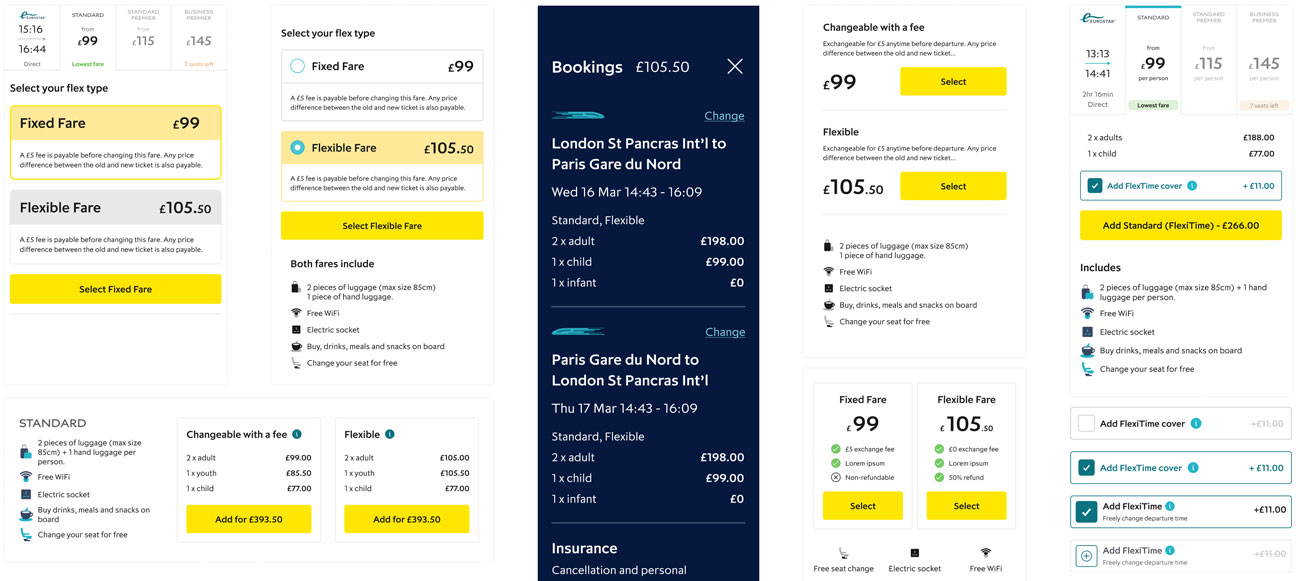
Train ticket booking interface displaying fare options, including Fixed Fare £99 and Flexible Fare £105.50, with luggage allowance, WiFi, and seat change details for London St Pancras to Paris Gare du Nord journey.

Prototype and test

A high-fidelity prototype was put together from the new designs and a group of eight subjects were recruited for testing online.

The test results were broadly positive, with subjects all generally able to navigate the process smoothly, from scanning train timetables to selecting a train, understanding fare classes, choosing seats, adding extras, logging in, and making payments.

Minor usability issues such as changing tickets and accessing the cart were identified and addressed. The designs were completed after several rounds of testing.

Mobile app screens showing train ticket booking process including outbound and return train selection, fare types with prices, travel extras upgrade options, and checkout page asking for passenger details and payment.
Four screenshots showing a usability testing session of a mobile app with screens of user login, fare selection, personal information input, and ticket options.
Four project boards titled Mathew, Julie, Thomas, and Fraser, each with columns for Search + Select, Choose fare type, Extras, and Checkout containing color-coded sticky notes with tasks or comments.

Challenge II

Rebrand rollout

The challenge

Eurostar were preparing for a bold new rebrand, featuring a new logo, symbol, colour palette, photography and illustrations.

I was handed the new brand guidelines tasked with interpreting them for the screen.

This would involve balancing the demands of the branding team with practical constraints and customer tastes.

Opened Eurostar brand guidelines booklet with blue cover and design elements along with pages showing color palettes, typography, and icon examples.

Early Exploration

I began with gaining an understanding of the new brand, which was inspired by sparking adventure, travel and excitement.

Research and benchmarking against other travel/luxury brands helped align the new look.

Side-by-side Eurostar website pages: left shows a European cityscape with search options for trains and hotels; right shows an Amsterdam canal scene with a search panel for holidays and city breaks.
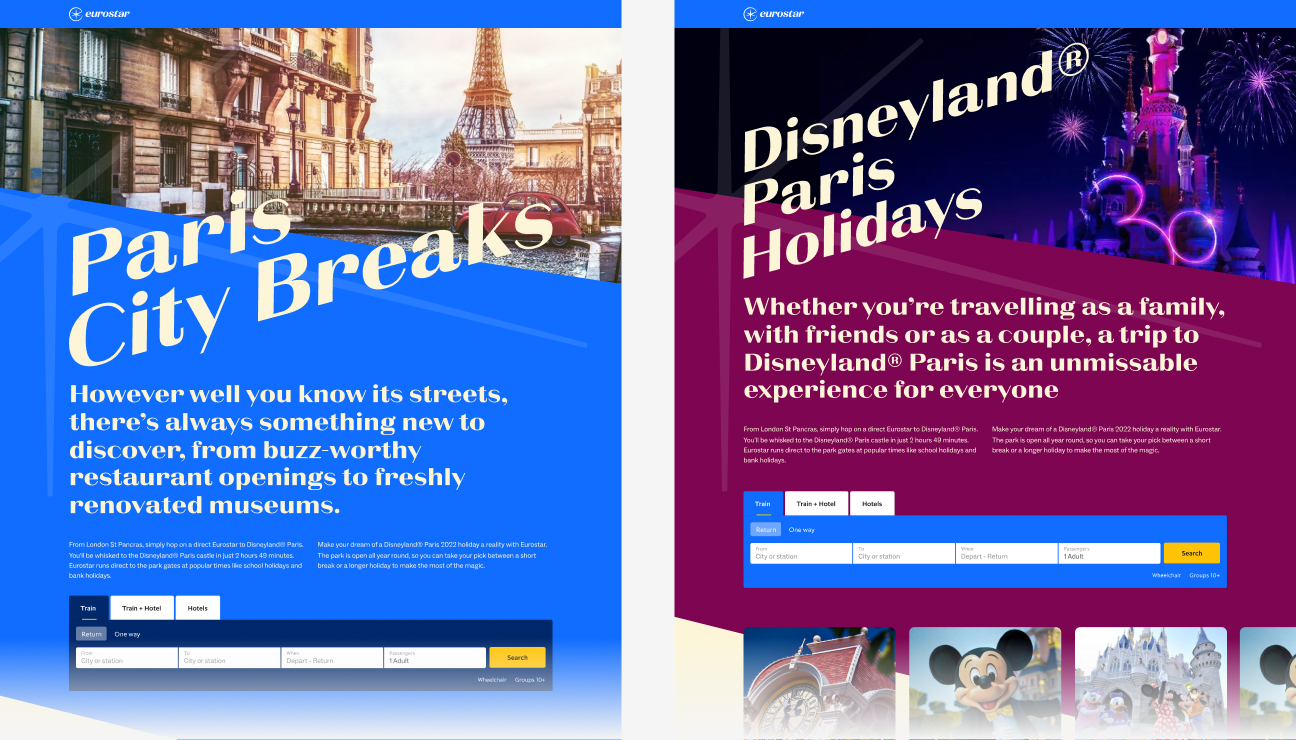
Side-by-side Eurostar booking pages: left shows Paris City Breaks with Eiffel Tower background; right shows Disneyland Paris Holidays with castle and fireworks background.

Make the logo bigger

Initial exploration involved pushing the limits of angled typography and colour palette.

The brand team wanted to feature the new logomark, “The Spark” as frequently as possible. This led to experiments with image cropping and sharp angles, in order to maintain the same dynamism.

The Spark didn’t easily lend itself to the spatial restrictions of the screen and needed clever positioning.

The new look evolved over many iterations, discussions with the branding team and senior stakeholders, including the CEO. After a few weeks of iteration and delicate stakeholder management, I finalised designs for key pages that would inform visual design for the rest of the site.

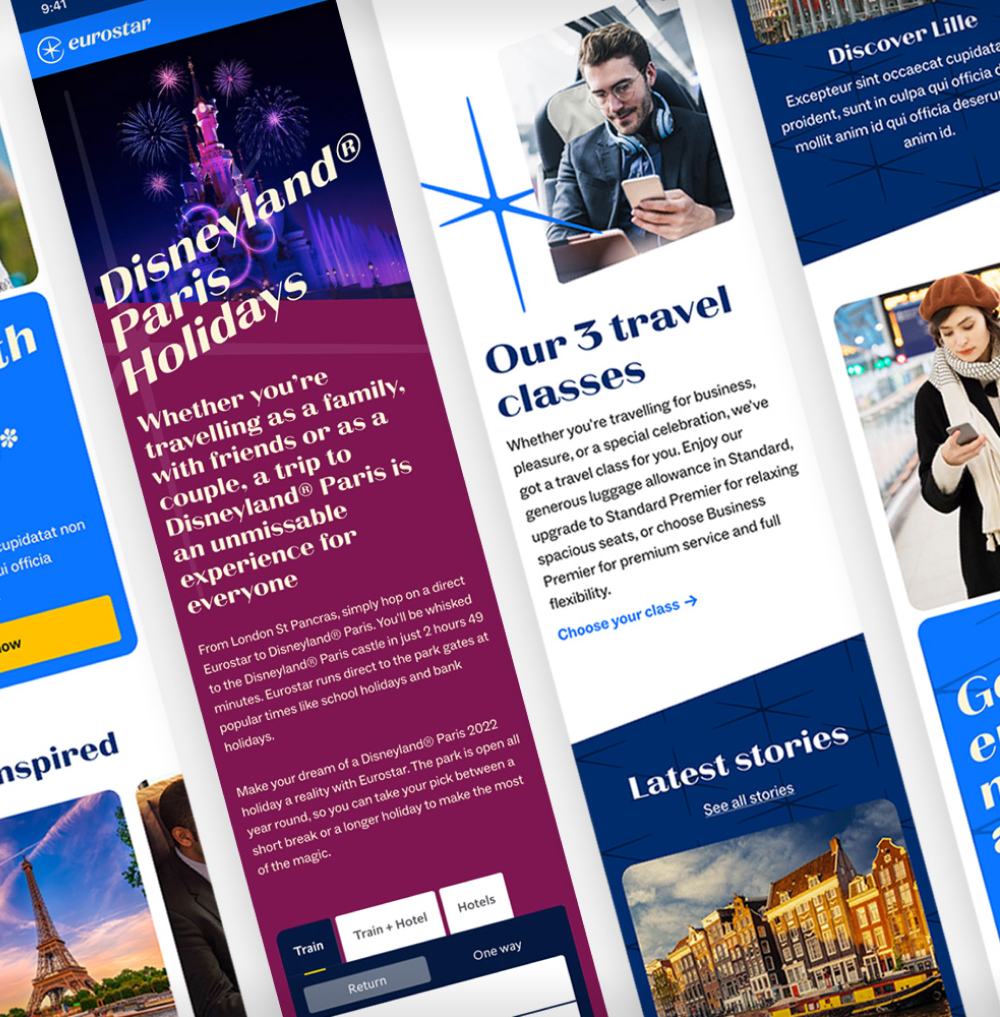
Eurostar website pages showing travel offers including an Amsterdam winter trip for £39 and images of European landmarks like canals and the Eiffel Tower.
Eurostar webpage showing Disneyland Paris Holidays offer with fireworks over the castle and travel class options.

Challenge III

Search and navigate

The challenge

Eurostar had struggled with the placement of separate booking engines for Trains, Train + Hotel, and Hotels.

The tabs for these clashed with three identically named but very different pages in the primary navigation.

The position of the booking engine was especially awkward and made finding images for campaigns an unnecessarily difficult task for editors.

Eurostar booking webpage with search options for trains, train plus hotel, and hotel; background image of a historic Parisian garden with people and flowers.

Research and early exploration

I started with competitive research and analysis understand how we might better integrate booking UI with the navigation.

I wanted the booking functionality to be easily accessed from any page. To avoid clashing with the navigation, I tried positioning the booking engine just above the fold on desktop.

However this soon became problematic when it came to scaling for different screen sizes.

Collage of flight booking websites and mobile apps featuring search fields, destination options, and promotional banners from airlines like Qatar Airways and Qantas.
Collage of Eurostar booking interfaces showing options for Amsterdam holidays, London to Paris train tickets, and search fields for travel dates and passengers.

Solution

Some probing uncovered that the links in the main nav were largely included for SEO purposes, and so could be safely repositioned to share the same tabs as the booking magnet. This allowed a horizontal layout that could be integrated with the navigation, to allow easy access from any page.

Comparison of two Eurostar website navigation menus showing options for Trains, Train + Hotel, and Hotels with booking fields and fare search.

Voilà

Finished design

Eurostar website homepage showing a booking form for trains and hotels and a promotion for Brussels trips from £49, displayed on a laptop with a nighttime city square image.

Hero flexibility

The hero section on the landing page needed to allow flexibility for a variety of marketing promotions and imagery. The headline needed to accommodate long or short messages in all European languages.

Eurostar website displayed on a laptop and two floating screens, showcasing travel deals to Amsterdam, Brussels, and Aix-En-Provence.
Two smartphones displaying Eurostar travel offers: one screen shows London trips starting at €47 with Big Ben image, the other shows Amsterdam trips starting at €47 with canal houses image.
Two smartphones displaying travel-themed screens, one showing a smiling woman with text about travel classes, the other showing architectural columns with text about seeing Europe in a new light.
Website homepage featuring travel destinations, train and hotel packages, a smiling woman, and a promotion for the Eurostar app.
Two smartphones displaying a travel app menu with options for destinations, travel planning, frequent travelers, and booking, alongside a map highlighting European cities.
Two smartphones displaying the Eurostar mobile booking site with options for trains, hotels, and a promotional banner for Paris trips from £49.

City Breaks pages

One of several templates designed to showcase both the brand and the holiday travel destinations with a sense of excitement.

Eurostar website displayed on laptop and smartphone showing Amsterdam city breaks with a canal scene at sunset and travel highlights.
Three angled brochure pages about Amsterdam featuring photos of canals, cheese, beer, food, and city scenes with red and cream backgrounds.

Travel info pages

Content page templates that contained all of the practical information needed by passengers ahead of their journey.

Eurostar website displayed on laptop and smartphone with the Eiffel Tower and text about London to Paris trains.
Website layout showcasing Paris travel options, including a whistle stop tour, train meal service, FAQs, booking section, and a traveler at a station.

Train search results

New improved search results page for easy scanning and fare selection.

Eurostar online train booking interface shown on laptop and smartphone screens with options to select return trip from Paris to London and various fare classes.

End-to-end booking flow

Series of screenshots showing the Eurostar train booking flow on a mobile app, including destination selection, date picker, train options with departure times and prices, fare type selection, travel extras, login for checkout, and final ticket summary.

Components

When designs were signed off by the brand team, components were created for the library. The content editors were to be given a broad colour palette in the CMS. This added to the complexity of the component variants.

Collection of various website design templates and UI components featuring travel themes, including images of the Eiffel Tower and scenic landscapes, with color-coded sections, text blocks, icons, and layout examples.

Design system

The new page template components were part of an overhaul of the Eurostar design system. Over six months, our team constructed a new system, which we documented and handed over to developers as we went along.

I have written a seperate case study about this project:

Design system case study
Blue background displaying a digital design system with white UI icons, buttons in different states, and form fields for billing address details.

Results

Results

The new improved end-to-end ticket booking flow design saw:

11%

increase in successful conversions

15%

increase in hotel bookings